
Download WACUP – Winamp, multimedia player, music player, classic music player, playlist, skin, audio player, music library, offline music, free music player, PC music player, nostalgic music player, music playback, Winamp 2, classic Winamp, audio playback, music collection, audio player for PC, music player for Windows
Overview
WACUP, or the WinAmp Community Update Project, is a multimedia player crafted to preserve the nostalgic essence of the iconic Winamp 2 while integrating modern functionality for today’s users. Designed primarily for music enthusiasts and those with a sentimental attachment to the early 2000s digital audio experience, WACUP bridges the gap between retro aesthetics and contemporary usability. The app allows users to enjoy their local music libraries with familiar controls, drag-and-drop functionality, and seamless playlist management. Its core purpose is to provide a reliable, subscription-free environment for offline music playback, making it ideal for users who value simplicity, personalization, and control over their audio experience.
Target users include long-time Winamp fans, digital music collectors, and individuals seeking a lightweight, customizable audio player without the bloat of modern streaming platforms. The app’s ability to support classic Winamp skins and maintain legacy features ensures continuity for users transitioning from older systems. Real-world use cases range from background listening during work or study to organizing large music collections with ease. WACUP also serves as a tool for preserving digital audio history, offering a functional archive of a pivotal era in music technology. As part of the broader audio player ecosystem, WACUP stands out by prioritizing user autonomy and visual customization over data-driven features.
Key Features & Functionality
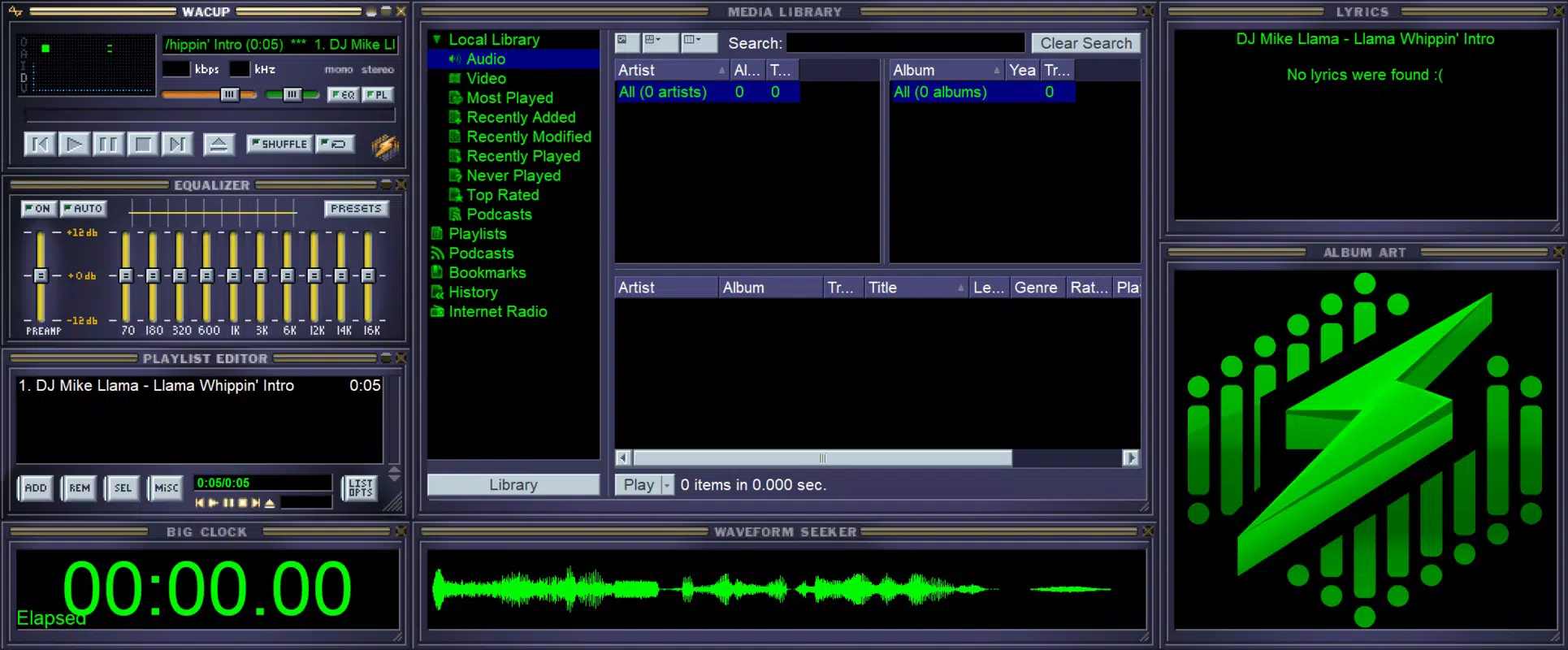
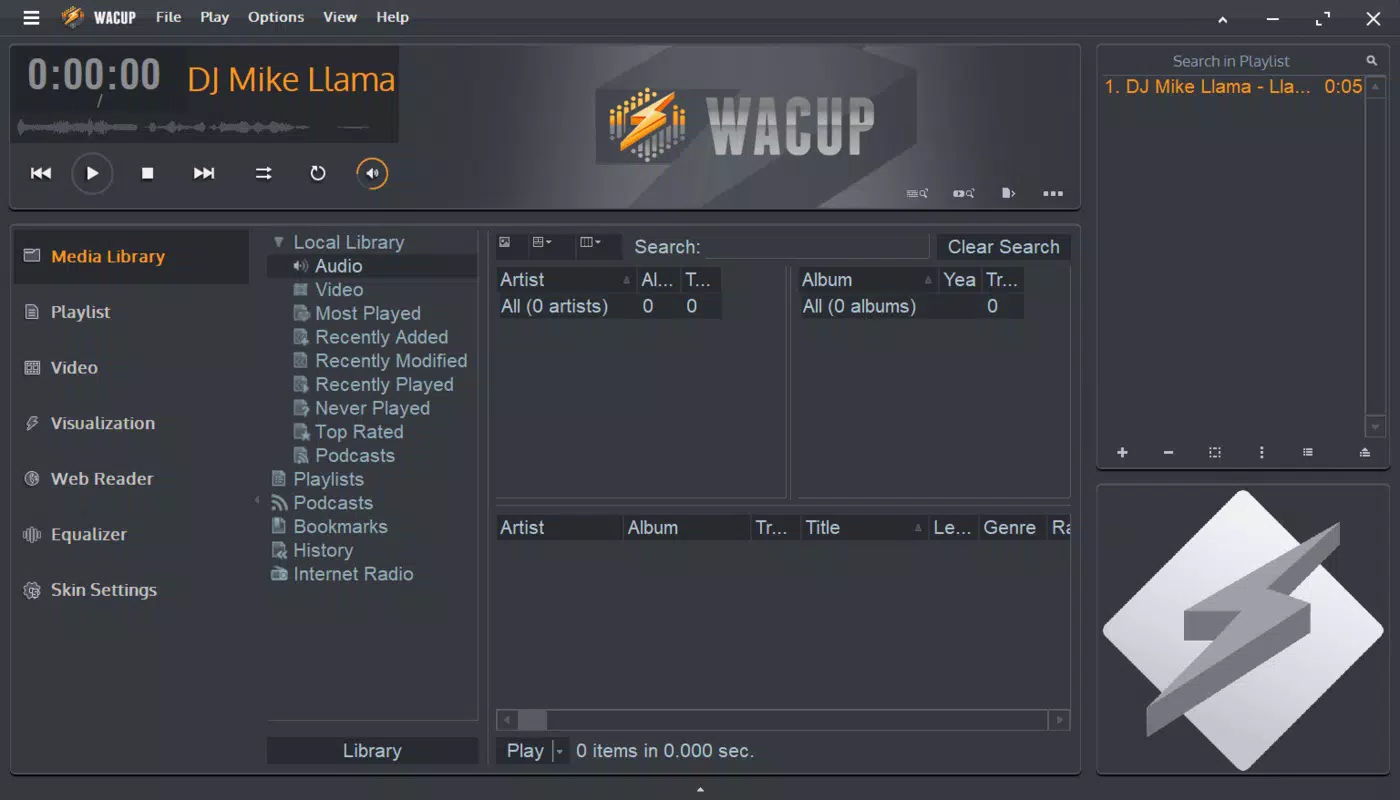
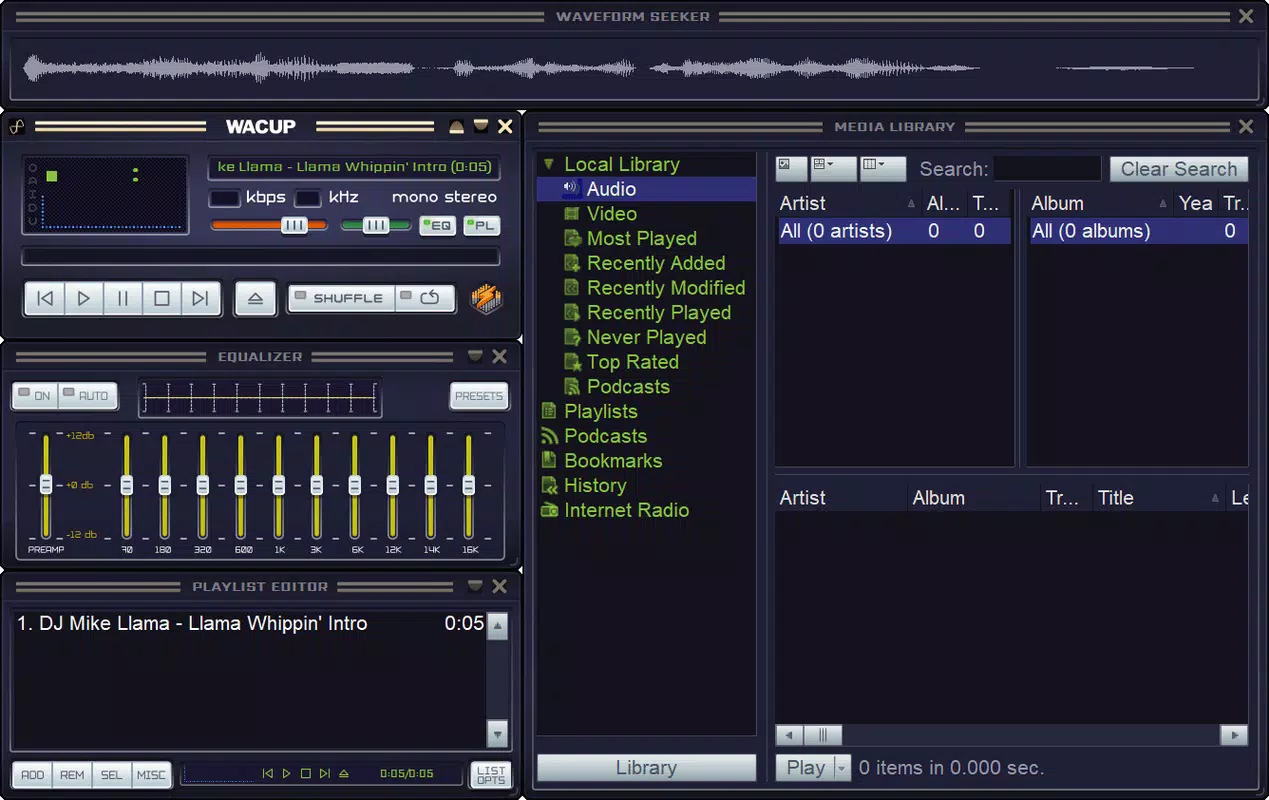
- Flexible Installation Options: WACUP offers two distinct installation types—Full and Lite—allowing users to tailor the experience to their device capabilities and preferences. The Full version includes advanced features like video playback and streaming support, while the Lite version focuses on minimalism and closely replicates the original Winamp 2 interface, ideal for users seeking a lightweight, nostalgic experience.
- Classic Winamp Functionality: The player retains core functionalities such as drag-and-drop folder integration into the Media Library, playlist creation, and track metadata display. Users can effortlessly organize their music collections and access lyrics for supported tracks, ensuring a smooth and familiar workflow for those accustomed to the original Winamp environment.
- Extensive Skin Compatibility: One of WACUP’s most compelling features is its full support for Winamp-compatible skins. Users can download and apply a vast array of traditional and community-designed skins, allowing complete personalization of the player’s appearance. This flexibility enhances both visual appeal and user engagement, reinforcing the app’s identity as a customizable audio tool.
- Zero Subscription Required: WACUP operates entirely without recurring fees or mandatory subscriptions. Users can play music offline, manage playlists, and access their entire library without any restrictions, making it a cost-effective and transparent solution for personal music consumption.
- Transparency on False Positives: The developer acknowledges that some antivirus software may flag WACUP’s installer as a false positive. While this is not a security flaw, the team is actively addressing the issue to improve trust and compatibility. This openness enhances the app’s credibility and reassures users of its legitimacy.
Interface, UX & Performance
The user interface of WACUP reflects the minimalist, modular design of classic Winamp, featuring a vertical sidebar for media navigation, a playlist window, and a customizable main display area. The visual style emphasizes functionality over ornamentation, with a focus on usability and keyboard shortcut support. Navigation is intuitive, relying on familiar Winamp workflows such as drag-and-drop, context menus, and direct file access. The layout remains consistent across different screen sizes, ensuring readability and ease of use on both standard monitors and smaller displays.
Although the developer did not list formal performance metrics, the app’s file size of 18.5 MB suggests a lightweight footprint, likely contributing to fast startup times and low system resource usage. Responsiveness is expected to be strong on modern Windows systems, particularly those with sufficient RAM and processing power. Stability appears to be a priority, as the app supports offline playback without reported crashes or freezes. However, compatibility with older Windows versions was not disclosed, so users on legacy systems should exercise caution. Overall, WACUP delivers a stable and efficient experience suitable for daily music use.
Platform Compatibility & Technical Requirements
WACUP is available exclusively for the Windows platform, making it accessible to users running Windows operating systems. The current version is 2.0.1, with a file size of 18.5 MB, indicating a compact and efficient distribution. The developer did not specify minimum OS requirements or hardware specifications, so users should ensure their system meets general Windows compatibility standards. While the app is designed for desktop use, no information was provided regarding support for touch interfaces, tablet mode, or high-DPI displays. Users should verify their system configuration before installation to ensure optimal performance.
Pros and Cons
Pros
- Free to download and use with no subscription fees
- Supports classic Winamp skins and legacy customization
- Offers two installation types for flexibility in resource usage
- Lightweight design with minimal system impact
- Preserves nostalgic functionality while maintaining modern compatibility
Cons
- Compatibility with older Windows versions was not specified
- Some antivirus programs may flag the installer as a false positive
- No official support for mobile platforms or cross-device sync
- Limited documentation or in-app help resources
- No built-in streaming or cloud integration features
FAQ
Is WACUP safe to download and install?
Yes, WACUP is a legitimate application developed by the WACUP Team. While some antivirus programs may trigger false positives due to the installer’s structure, the developer has acknowledged this issue and is actively working to resolve it. Users are advised to verify the source and ensure they are downloading from the official channel.
Can I use my existing Winamp skins with WACUP?
Yes, WACUP fully supports all Winamp-compatible skins. Users can download and apply traditional or community-created skins to customize the player’s appearance, maintaining the nostalgic visual experience that Winamp fans appreciate.
Does WACUP require an internet connection?
WACUP functions entirely offline. Users can play local music files, manage playlists, and use all core features without an internet connection. However, the app does not include built-in streaming services or online content.
Is WACUP available for Android or iOS?
Currently, WACUP is only available for Windows. There is no official version for Android, iOS, or other mobile platforms. The app is designed for desktop use on PC systems.
How often is WACUP updated?
WACUP is actively maintained by the WACUP Team. The latest version is 2.0.1, released on July 29, 2025. While update frequency is not publicly detailed, the developer has demonstrated responsiveness to user feedback, particularly regarding installer detection issues.
Final Thoughts
WACUP successfully revives the spirit of Winamp 2 with a modern, functional twist. It appeals to users who value simplicity, customization, and the ability to enjoy music without relying on subscription services. The dual installation options cater to both power users and those seeking a minimal experience.
Its support for legacy skins and offline playback makes it a standout choice for music collectors and nostalgic listeners. While it lacks mobile compatibility and streaming features, its strengths lie in reliability, performance, and authenticity. For anyone seeking a free, lightweight, and customizable audio player for Windows, WACUP delivers a compelling package.
Download WACUP now


